


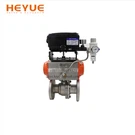

Hey there! As a supplier of Modulating Electric Actuators, I often get asked about how to read the self-diagnosis information of these nifty devices. It can be a bit confusing at first, but once you get the hang of it, it's a breeze. In this blog post, I'll walk you through the process step by step.
What is a Modulating Electric Actuator?
Before we dive into the self-diagnosis stuff, let's quickly go over what a Modulating Electric Actuator is. Simply put, it's a device that controls the movement of a valve or other mechanical device. It can adjust its position based on a signal it receives, which makes it super useful in a variety of applications, like industrial processes, HVAC systems, and more.
Why is Self-Diagnosis Important?
Self-diagnosis is a crucial feature of modern Modulating Electric Actuators. It allows the actuator to monitor its own performance and detect any issues that might arise. By reading the self-diagnosis information, you can quickly identify problems and take corrective action before they turn into major headaches. This can save you time, money, and a whole lot of stress in the long run.
Reading the Self-Diagnosis Information
Now, let's get into the nitty-gritty of how to read the self-diagnosis information. The first thing you need to do is locate the diagnostic display on the actuator. This is usually a small screen or a series of LED lights that show the current status of the actuator.
Understanding the Diagnostic Codes
Once you've found the diagnostic display, you'll see a series of codes or messages. These codes are like a secret language that tells you what's going on inside the actuator. Each code corresponds to a specific issue or condition, so it's important to have a reference guide handy.
For example, a common code might indicate a power supply problem. If you see this code, you'll need to check the power connections and make sure everything is properly plugged in. Another code might indicate a mechanical fault, such as a jammed gear or a broken belt. In this case, you'll need to inspect the actuator and make any necessary repairs.
Interpreting the Status Indicators
In addition to the diagnostic codes, the actuator may also have a series of status indicators. These indicators are usually LED lights that change color or blink to indicate the current status of the actuator. For example, a green light might indicate that the actuator is operating normally, while a red light might indicate a problem.
It's important to pay attention to these status indicators, as they can give you a quick overview of the actuator's health. If you see a red light or a blinking light, it's a sign that something is wrong and you need to take action.
Using the Diagnostic Software
Many modern Modulating Electric Actuators come with diagnostic software that you can use to access more detailed information about the actuator's performance. This software allows you to view real-time data, such as temperature, voltage, and current, as well as historical data and diagnostic reports.
To use the diagnostic software, you'll need to connect the actuator to a computer using a USB cable or other communication interface. Once the connection is established, you can open the software and start exploring the different features.
Common Issues and How to Fix Them
Now that you know how to read the self-diagnosis information, let's take a look at some common issues that you might encounter and how to fix them.
Power Supply Problems
One of the most common issues with Modulating Electric Actuators is a power supply problem. This can be caused by a variety of factors, such as a loose connection, a blown fuse, or a faulty power supply.
To fix a power supply problem, start by checking the power connections and making sure everything is properly plugged in. If the connections are okay, check the fuse and replace it if necessary. If the problem persists, you may need to replace the power supply.
Mechanical Faults
Another common issue is a mechanical fault, such as a jammed gear or a broken belt. This can be caused by wear and tear, improper installation, or a foreign object getting stuck in the actuator.
To fix a mechanical fault, you'll need to inspect the actuator and identify the problem. If the problem is a jammed gear, you may need to lubricate the gear or replace it if it's damaged. If the problem is a broken belt, you'll need to replace the belt.
Communication Problems
If the actuator is connected to a control system, you may encounter communication problems. This can be caused by a variety of factors, such as a loose connection, a faulty communication cable, or a problem with the control system.
To fix a communication problem, start by checking the communication connections and making sure everything is properly plugged in. If the connections are okay, check the communication cable for any damage. If the cable is damaged, replace it. If the problem persists, you may need to check the control system settings or contact the manufacturer for further assistance.
Conclusion
Reading the self-diagnosis information of a Modulating Electric Actuator is an important skill that can help you keep your actuator running smoothly and avoid costly downtime. By following the steps outlined in this blog post and paying attention to the diagnostic codes and status indicators, you'll be able to quickly identify and fix any issues that might arise.
If you're in the market for a Modulating Electric Actuator, be sure to check out our selection of Explosion Proof Electric Actuator, On-Off Electric Actuators, and Multi Turn Electric Actuator. We offer high-quality products at competitive prices, and our team of experts is always available to help you find the right actuator for your needs.
If you have any questions or would like to discuss your specific requirements, please don't hesitate to contact us. We're here to help you every step of the way.


References
- Manufacturer's user manual
- Industry standards and guidelines